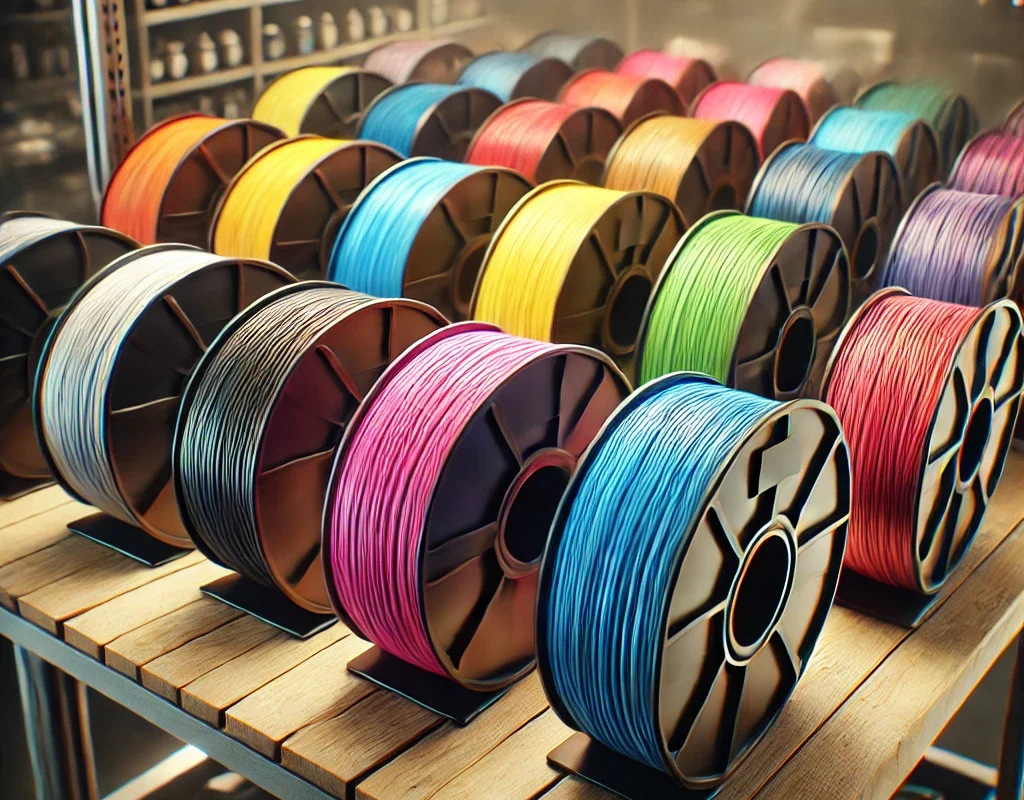
PLA (Polylactic Acid) is the most popular and easy-to-use 3D printing material! 🌱✨ It’s biodegradable, prints smoothly, and works on almost any FDM printer. But to get the BEST quality prints, you need the right settings! 🎯 Let’s break down everything you need to know to master PLA printing! 🤖⚡
🛠️ 1. What is PLA? – The Best Beginner-Friendly Filament 🎨
PLA is a biodegradable thermoplastic made from corn starch or sugarcane 🌽🌱. It’s eco-friendly, low-warping, and prints at relatively low temperatures (~190-220°C).
🔹 Why Use PLA?
✔ Easy to print (low temp & no heated bed needed!) 🎯
✔ Minimal warping – great for large prints! 📏
✔ Biodegradable & safe – no toxic fumes! 🌱
✔ Comes in MANY colors & specialty blends (wood, glow-in-the-dark, silk, etc.)! 🎨✨
❌ PLA’s Weaknesses:
- Not very strong (brittle under stress). ⚠️
- Melts easily (~60°C) – not heat-resistant. 🔥
- Absorbs moisture over time – needs dry storage! 💧
📌 2. Best PLA Print Settings for HIGH Quality!
| Setting | Recommended Value | Why It Matters |
|---|---|---|
| Nozzle Temperature | 190-220°C | Hotter = stronger, but too hot = stringing! 🎯 |
| Bed Temperature | 50-60°C (optional) | Helps adhesion, but not always needed. 🛏️ |
| Print Speed | 40-60mm/s | Faster = rougher quality, slower = smoother! ⚡ |
| Layer Height | 0.1-0.2mm | Lower = finer details, higher = faster prints. 🏗️ |
| Retraction Distance | 4-6mm (Bowden), 1-2mm (Direct Drive) | Prevents stringing & blobs! 🕸️ |
| Retraction Speed | 25-45mm/s | Faster reduces stringing, but too fast can clog. ⚠️ |
| Cooling Fan | 100% (always ON) | PLA loves cooling! Reduces warping & drooping. ❄️ |
| Flow Rate (Extrusion Multiplier) | 100% (adjust as needed) | Prevents over/under-extrusion. 🎯 |
💡 Pro Tip: Dial in your settings using a test print (like a Benchy or Calibration Cube)! 🛥️🎛️
🔥 3. Common PLA Printing Problems & Fixes!
🕸️ Stringing (Spider Webs Between Parts!)
❌ Problem: Thin strands of filament between gaps.
✅ Solution:
✔ Increase Retraction Distance (Bowden: 4-6mm, Direct Drive: 1-2mm).
✔ Increase Retraction Speed (35-45mm/s).
✔ Lower Nozzle Temp (Too hot = more oozing!).
🛏️ First Layer Not Sticking (Print Won’t Stay on Bed!)
❌ Problem: First layer lifts, causing print failures.
✅ Solution:
✔ Increase bed temp to 60°C.
✔ Use glue stick, hairspray, or PEI sheet for better adhesion! 🛏️
✔ Lower Z-offset slightly to make the first layer squish more into the bed. 📏
💨 Weak Layer Adhesion (Prints Break Easily!)
❌ Problem: Layers peel apart or crack.
✅ Solution:
✔ Increase nozzle temp by 5-10°C.
✔ Print slower (30-40mm/s) for better bonding.
✔ Reduce cooling fan speed slightly (but not too much!).
🎭 Over-Extrusion (Blobs & Bulging Layers!)
❌ Problem: Too much filament = messy details.
✅ Solution:
✔ Lower Flow Rate (try 95-98% instead of 100%).
✔ Calibrate your E-steps (extruder steps/mm).
✔ Lower print speed slightly.
🔩 Under-Extrusion (Gaps in Layers / Weak Prints!)
❌ Problem: Not enough filament being extruded.
✅ Solution:
✔ Increase Flow Rate (try 102-105%).
✔ Check for clogged nozzle or grinding filament.
✔ Increase nozzle temp slightly.
🔬 4. Advanced PLA Printing Techniques!
🌟 Silk PLA – The Shiny Finish ✨
- Needs cooler temps (~190-200°C) for best gloss! 🌟
- Prints slower (~30mm/s) for smoother surfaces!
- No cooling fan = shinier surface! ❄️
🌳 Wood PLA – Realistic Wood Prints! 🪵
- Use larger nozzles (0.5mm+ to avoid clogs!) 🏗️
- Print hot (~210-230°C) for a darker burn effect! 🔥
- Can be sanded & stained like real wood! 🎨
💡 Glow-in-the-Dark PLA – Night Vision Prints! 🌙
- Abrasive filament – requires a hardened steel nozzle! ⚡
- Needs higher temps (220°C+) for smooth flow! 🌟
🦾 Carbon Fiber PLA – Stronger but Lightweight!
- Super stiff & durable! 🏗️
- Abrasive! Needs hardened steel nozzle. 🔩
- Prints best at ~220-230°C. 🔥
🏆 5. Best PLA Brands for High-Quality Prints!
✔ Prusament PLA – Premium quality, super consistent. 🎯
✔ eSun PLA+ – Stronger than regular PLA, budget-friendly. 💰
✔ Overture PLA – Affordable and widely used. 🔧
✔ Hatchbox PLA – Great color variety and reliability. 🌈
✔ Polymaker PLA – High-quality and specialty filaments. 💎
⚡ 6. PLA Printing Summary – Get Perfect Prints Every Time!
- 🔥 Nozzle Temp: 190-220°C
- 🛏️ Bed Temp: 50-60°C (or off)
- ⚡ Speed: 40-60mm/s
- ❄️ Cooling: 100% fan ON
- 🔄 Retraction: 4-6mm (Bowden) / 1-2mm (Direct Drive)
- 🛏️ First Layer Fixes: Glue, hairspray, or PEI sheets
- ⚙️ Storage: Keep dry! Use silica gel packs.
🚀 Final Thoughts: Mastering PLA Printing!
PLA is easy to print, but small tweaks make a BIG difference! 🎯 Dial in the right temps, speed, cooling, and retraction, and you’ll get flawless prints every time! 🖨️🔥