
Turn a Raspberry Pi into a room-temperature recorder. One digital sensor supplies measurements; a short Python program saves a timestamp, temperature and status to a spreadsheet-friendly file. You can compare a room before and after opening a window, without building a cloud service.
This project uses a Raspberry Pi computer with the 40-pin connector, such as Pi 3, 4 or 5, running Raspberry Pi OS. It does not run on a Pico: Pico is a microcontroller board, while this project relies on Linux, a filesystem and Python 3.
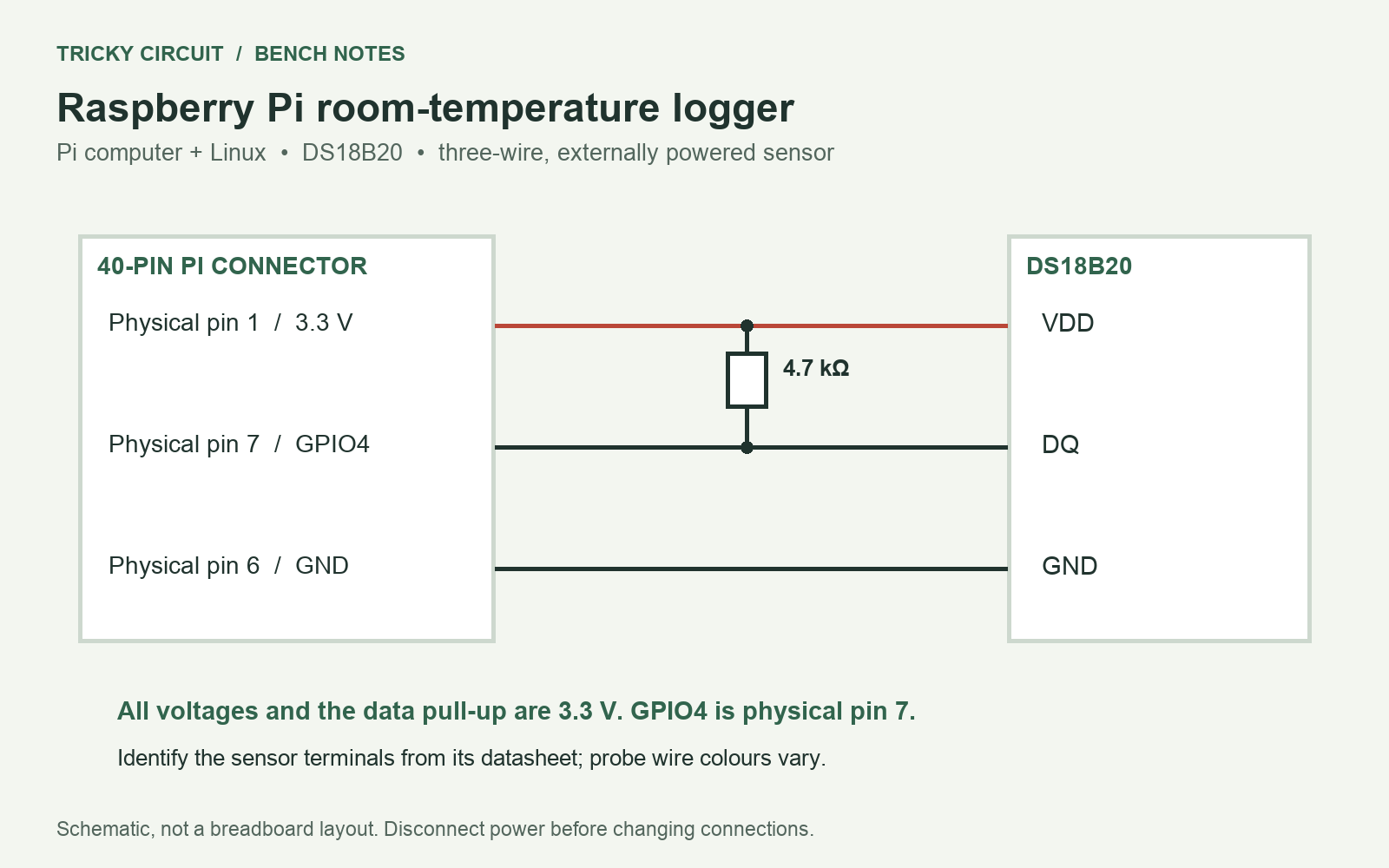
Parts and wiring
- Raspberry Pi with Raspberry Pi OS, its correct power supply and access to a terminal.
- One DS18B20 temperature sensor, one 4.7 kΩ resistor and short jumper wires.
- Breadboard for the ordinary TO-92 package, or a properly identified three-wire probe.
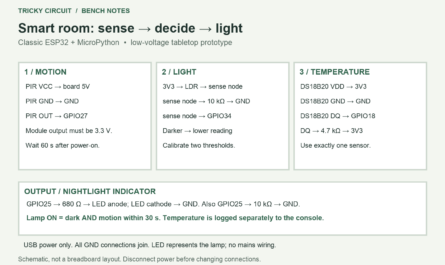
Shut the Pi down and disconnect power before wiring. Connect the sensor’s VDD power terminal to the Pi’s 3.3 V physical pin 1, ground to physical pin 6, and DQ data to GPIO4 at physical pin 7. GPIO means general-purpose input/output. GPIO4 is a signal name, not physical pin 4. Add 4.7 kΩ between DQ and 3.3 V.
This is externally powered, three-wire operation. We are not using the sensor’s parasite-power mode. The resistor is a pull-up: it restores the idle data line to a high voltage when neither device pulls it low. Both the sensor supply and data pull-up use 3.3 V.
Check the exact package-view drawing in the datasheet. A probe’s wire colours are not a universal standard. Keep the first experiment’s wires short, and keep the sensor away from the Pi’s processor and regulator so that it measures room air rather than board heat.
Enable the interface
- Boot the Pi and run
sudo raspi-config. - Choose Interface Options, then 1-Wire, enable it and reboot. The standard configuration uses GPIO4; undo any conflicting custom pin assignment before following this wiring.
- Run
ls /sys/bus/w1/devices/. A DS18B20 normally appears as a directory beginning with28-. - Save the program below as
pi_temperature.py. Runpython3 pi_temperature.py --samples 6 --interval 10for a short check. - Open
temperature.csv. When the readings look reasonable, runpython3 pi_temperature.py --samples 360 --interval 10 --output room.csvfor approximately one hour.
1-Wire is a digital bus using one data wire, in addition to power and ground in this circuit. Linux’s driver handles the electrical timing. The file called w1_slave exposes a reading and its error check to our program.
Full Python program
"""Log one externally powered DS18B20 through Linux's 1-Wire driver."""
import argparse
import csv
import re
import time
from datetime import datetime, timezone
from pathlib import Path

def parse_temperature(text):
    lines = text.splitlines()
    if len(lines) < 2 or not lines[0].strip().endswith("YES"):
        raise ValueError("CRC check failed")
    match = re.search(r"\bt=(-?\d+)\b", lines[1])
    if not match:
        raise ValueError("Temperature field missing")
    value = int(match.group(1)) / 1000
    if not -55 <= value <= 125:
        raise ValueError("Temperature outside sensor range")
    return value

def choose_sensor(root, sensor_id=None):
    paths = sorted(root.glob("28-*/w1_slave"))
    if sensor_id:
        paths = [p for p in paths if p.parent.name == sensor_id]
    if len(paths) != 1:
        raise ValueError("Expected one DS18B20; found %d. Use --sensor 28-... if needed." % len(paths))
    return paths[0]

def main():
    parser = argparse.ArgumentParser(description=__doc__)
    parser.add_argument("--sensor")
    parser.add_argument("--output", type=Path, default=Path("temperature.csv"))
    parser.add_argument("--interval", type=float, default=10)
    parser.add_argument("--samples", type=int, default=360)
    args = parser.parse_args()
    if args.interval < 1 or args.samples < 1:
        parser.error("Use an interval of at least 1 second and at least 1 sample.")
    try:
        sensor = choose_sensor(Path("/sys/bus/w1/devices"), args.sensor)
    except ValueError as exc:
        parser.error(str(exc))
    header = ["timestamp_utc", "sensor", "temperature_c", "status"]
    if args.output.exists() and args.output.stat().st_size:
        with args.output.open(newline="") as old:
            if next(csv.reader(old), None) != header:
                parser.error("Existing output has a different CSV header; choose a new file.")
    new_file = not args.output.exists() or not args.output.stat().st_size
    with args.output.open("a", newline="") as stream:
        writer = csv.writer(stream)
        if new_file:
            writer.writerow(header)
        deadline = time.monotonic()
        for i in range(args.samples):
            value, status = "", "ok"
            try:
                value = parse_temperature(sensor.read_text())
            except (OSError, ValueError) as exc:
                status = str(exc)
            row = [datetime.now(timezone.utc).isoformat(timespec="seconds"),
                   sensor.parent.name, value, status]
            writer.writerow(row)
            stream.flush()
            print(*row, sep=" | ")
            if i + 1 < args.samples:
                deadline += args.interval
                time.sleep(max(0, deadline - time.monotonic()))

if __name__ == "__main__":
    try:
        main()
    except KeyboardInterrupt:
        print("Stopped; completed rows are saved.")
Read the log correctly
CSV means comma-separated values: a plain-text table that a spreadsheet can open. Each row stores the timestamp in UTC, Coordinated Universal Time, so daylight-saving changes do not create ambiguous local times. The other columns identify the sensor, show degrees Celsius and describe success or failure.
The driver reports temperature in thousandths of a degree. A value of 21,625 becomes 21.625 °C; a negative value remains negative. The number of decimal places is not a promise of equivalent accuracy. The DS18B20 datasheet specifies ±0.5 °C accuracy over −10 to +85 °C, and lower precision or different limits elsewhere.
CRC means cyclic redundancy check, a method of detecting corrupted data. The program accepts a reading only when the driver reports a successful check and a valid temperature field. An error produces an empty temperature cell with a status message, rather than a fictional zero-degree reading. Zero is a valid temperature.
If several sensors are attached, the program asks you to select one using --sensor 28-your-device-id. It will not silently switch between them. Existing files are appended only when their column headings match; choose a new output filename for a different experiment.
Run a room experiment
Record ten minutes at a stable location, then open a window and continue. Label the time of the change in your notes. Plot temperature against time, leaving error cells blank. A metal probe changes more slowly than a bare sensor because its enclosure must change temperature too; that delay is part of the measurement setup.
No 28- directory usually points to wiring, the pull-up or interface configuration. Repeated CRC errors suggest loose connections or a long/noisy cable. Persistent implausible values, including a repeated power-on default near 85 °C in an ordinary room, deserve investigation even if the CRC passes. CRC checks transmission, not whether a reading makes physical sense.
Challenge: why not put zero in the file when a read fails?
That would turn missing data into a real-looking measurement and distort averages and graphs. A blank cell plus an error status preserves the distinction.
Continue with the interactive electronics lab. References: Analog Devices DS18B20 datasheet, Linux w1_therm driver, and Raspberry Pi interface configuration.