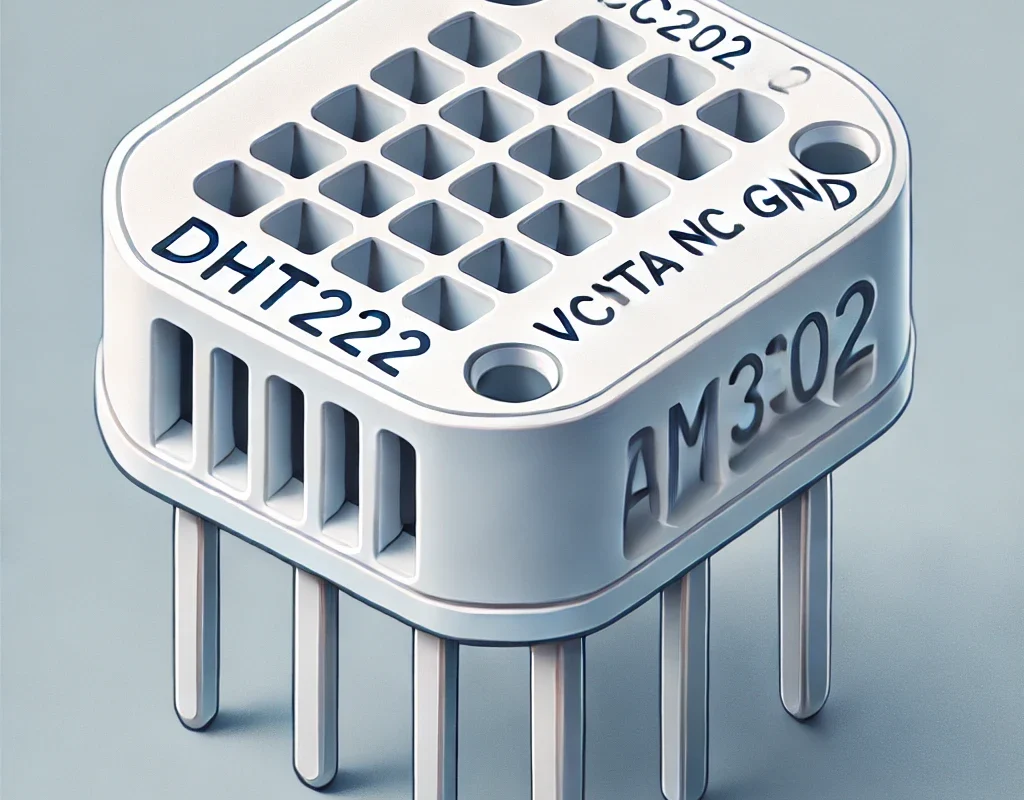
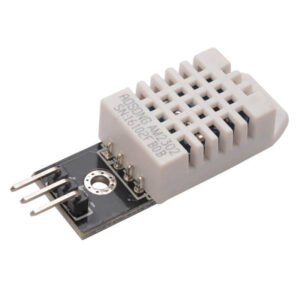
The DHT22, also known as AM2302, is an upgraded version of the DHT11 sensor, providing better accuracy, a wider range, and more reliability. It’s a popular choice for weather stations, IoT projects, and environmental monitoring. 🚀
📌 DHT22 vs. DHT11: Why Upgrade?
| Feature | DHT11 | DHT22 (AM2302) |
|---|---|---|
| Temperature Range | 0°C to 50°C | -40°C to 80°C |
| Temperature Accuracy | ±2°C | ±0.5°C |
| Humidity Range | 20% to 90% RH | 0% to 100% RH |
| Humidity Accuracy | ±5% RH | ±2% RH |
| Sampling Rate | 1 Hz (1 reading/sec) | 0.5 Hz (1 reading every 2 sec) |
| Resolution | Integer values only | Decimal values (0.1°C) |
| Power Supply | 3.3V – 5V | 3.3V – 5V |
| Price | Cheap 💰 | Slightly more expensive 💸 |
✅ DHT22 is better for projects requiring accuracy, full humidity range, and precision!
🛠️ How to Use DHT22 with Arduino
🔌 Wiring (4-Pin Connection)
- VCC → 3.3V or 5V
- DATA → Any digital pin on Arduino (e.g., D2)
- NC (Not Connected) → Leave unconnected
- GND → Ground (GND)
🔹 Use a 4.7kΩ – 10kΩ pull-up resistor between VCC and DATA to ensure reliable communication.
📜 Arduino Code for DHT22 (Using Adafruit Library)
1️⃣ Install the Adafruit DHT Library
In Arduino IDE, go to:
Sketch → Include Library → Manage Libraries → Search for “DHT sensor library” (by Adafruit) and install it.
2️⃣ Example Code for Reading Temperature & Humidity
#include <DHT.h>

#define DHTPIN 2         // Connect DATA pin to D2
#define DHTTYPE DHT22    // Use DHT22 (AM2302)

DHT dht(DHTPIN, DHTTYPE);

void setup() {
    Serial.begin(9600);
    Serial.println("DHT22 Sensor Reading...");
    dht.begin();
}

void loop() {
    float temperature = dht.readTemperature();  // Celsius
    float humidity = dht.readHumidity();

    if (isnan(temperature) || isnan(humidity)) {
        Serial.println("Failed to read from DHT22 sensor!");
        return;
    }

    Serial.print("Temperature: ");
    Serial.print(temperature);
    Serial.print("°C  |  Humidity: ");
    Serial.print(humidity);
    Serial.println("% RH");

    delay(2000);  // Wait 2 seconds before next reading
}
✅ What this code does:
✔️ Reads temperature & humidity
✔️ Checks for errors (if the sensor fails to respond)
✔️ Prints values to Serial Monitor
🔥 Real-World Applications of DHT22
1️⃣ Weather Station 🌦️
- Measures indoor/outdoor temperature & humidity
- Can send data via WiFi (ESP8266/ESP32) to a cloud database or mobile app
- Can trigger cooling or heating systems based on conditions
2️⃣ Smart Home Automation 🏡
- Used in HVAC (Heating, Ventilation, Air Conditioning)
- Adjusts fan speed, AC, or humidifier based on air quality
3️⃣ Greenhouse & Plant Monitoring 🌱
- Ensures optimal temperature & humidity for plant growth
- Triggers misting systems if humidity is too low
4️⃣ IoT & Wireless Sensors 📡
- Works with ESP32/ESP8266 for cloud logging
- Sends real-time data to Blynk, Thingspeak, or Home Assistant
⚠️ DHT22 Limitations & Alternatives
❌ Limitations:
1️⃣ Slow Read Rate (0.5Hz) – Only updates every 2 seconds
2️⃣ Not Waterproof – Needs protection in harsh environments
3️⃣ Not the Best for Extreme Precision
✅ Better Alternatives
| Sensor | Accuracy | Range (°C) | Range (RH) | Sampling Rate | Price 💰 |
|---|---|---|---|---|---|
| DHT22 (AM2302) | ±0.5°C, ±2% RH | -40 to 80°C | 0-100% RH | 0.5 Hz | Medium |
| SHT31 | ±0.3°C, ±2% RH | -40 to 125°C | 0-100% RH | 10 Hz | High |
| BME280 | ±1°C, ±3% RH | -40 to 85°C | 0-100% RH | 1-100 Hz | Medium-High |
If you need faster and more precise measurements, consider SHT31 or BME280.
🎯 Final Thoughts: Should You Use DHT22?
✔️ YES, if: You need a low-cost, reliable, and accurate sensor for general environmental monitoring.
❌ NO, if: You need fast sampling rates, waterproofing, or high precision.
🚀 DHT22 is a solid choice for hobby projects, smart homes, and IoT applications!