
A frozen temperature display can look reassuringly normal. If the sensor disconnects while the room is 22 degrees, a careless dashboard may keep showing 22 forever. This project makes the age and validity of the latest row part of the display rather than hiding those details behind a large number.
Start from the existing logger
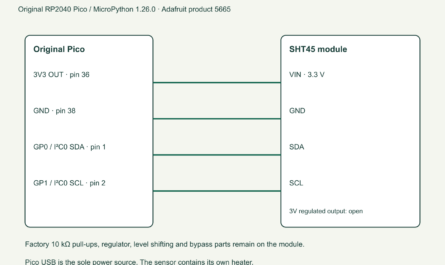
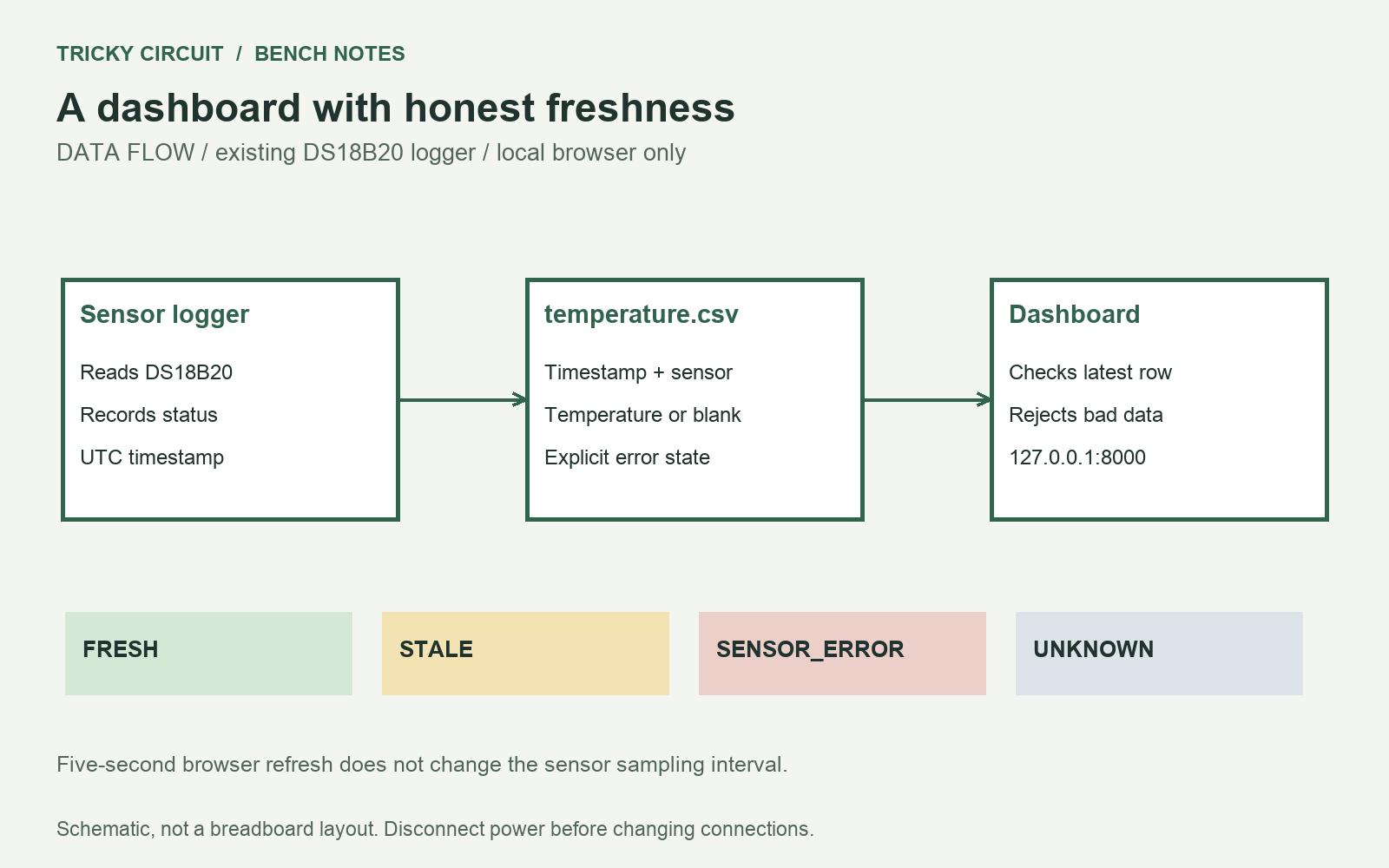
The earlier Raspberry Pi temperature lesson writes a CSV, or comma-separated values, file with timestamp_utc, sensor, temperature_c and status columns. A valid measurement uses status ok. A failed measurement records an empty value and an error description. Reuse that format: this dashboard does not invent a second incompatible logging protocol.
UTC means Coordinated Universal Time, a time standard that avoids local daylight-saving ambiguity. Each row must include a timezone-aware timestamp. The program compares it with the current UTC time and calls a valid sample stale when it is more than 30 seconds old. A stale sample remains visible as the last known value, with a clear warning label.
Parts to gather
- A Raspberry Pi Linux computer with Python 3.9 or later and a local browser
- The temperature.csv file produced by the earlier Tricky Circuit DS18B20 logger
- Optional existing DS18B20 wiring from that article; no new sensor circuit is required
Complete connections
| Connection | Purpose |
|---|---|
| Existing sensor logger → temperature.csv | Required columns: timestamp_utc, sensor, temperature_c, status. |
| Dashboard program reads that CSV → loopback HTTP server | It listens only on 127.0.0.1, port 8000 by default. |
| Browser on the same computer → http://127.0.0.1:8000/ | The browser refreshes every five seconds; it does not create new sensor measurements. |
Run it locally
- Save the full program as
room_dashboard.pynext to a realtemperature.csvlog. Python’s built-in libraries are sufficient. - Start the existing logger in one terminal, using its normal ten-second interval and that file path.
- In another terminal run
python3 room_dashboard.py temperature.csv. - Open
http://127.0.0.1:8000/in a browser on that Raspberry Pi. If port 8000 is occupied, add--port 8001and use the matching browser address. - Stop the dashboard with Control-C when finished.
HTTP means Hypertext Transfer Protocol, the request-response format used by the browser. The loopback address 127.0.0.1 refers to the same computer. Opening that address on a phone refers to the phone, not the Pi. Remote access is a separate project because this small teaching server has no account system, encryption or deployment hardening.
Complete Python program
"""Local-only dashboard for the earlier DS18B20 CSV logger; Python 3.9+."""
import argparse
import csv
import html
import math
from collections import deque
from datetime import datetime, timezone
from http.server import BaseHTTPRequestHandler, HTTPServer
from pathlib import Path

def read_status(path, now=None, stale_seconds=30):
    now = now or datetime.now(timezone.utc)
    try:
        with Path(path).open(newline="") as stream:
            reader = csv.DictReader(stream)
            if reader.fieldnames != ["timestamp_utc", "sensor", "temperature_c", "status"]:
                return "INVALID", "CSV header mismatch", None
            rows = deque(reader, maxlen=1)
        if not rows:
            return "EMPTY", "No samples yet", None
        row = rows[0]
        timestamp = datetime.fromisoformat(row["timestamp_utc"])
        if timestamp.tzinfo is None:
            return "INVALID", "Timestamp has no timezone", None
        age = (now - timestamp).total_seconds()
        if age < -5:
            return "CLOCK", "Sample timestamp is in the future", None
        if row["status"] != "ok":
            return "SENSOR_ERROR", row["status"] or "Incomplete sample", None
        value = float(row["temperature_c"])
        if not math.isfinite(value) or not -55 <= value <= 125:
            return "INVALID", "Temperature outside expected range", None
        if age > stale_seconds:
            return "STALE", "Last valid sample is %.0f seconds old" % age, value
        return "FRESH", "Sample age: %.0f seconds" % max(0, age), value
    except (OSError, ValueError, TypeError, KeyError, csv.Error) as exc:
        return "UNAVAILABLE", str(exc), None

def render(status):
    state, detail, value = status
    reading = "Unknown" if value is None else "%.2f °C" % value
    label = "Current sample" if state == "FRESH" else "Last sample / unavailable"
    return ("<!doctype html><html lang='en'><meta charset='utf-8'>"
            "<meta name='viewport' content='width=device-width,initial-scale=1'>"
            "<meta http-equiv='refresh' content='5'><title>Room sample</title>"
            "<style>body{font:20px system-ui;background:#eff4ee;color:#20332e;"
            "max-width:720px;margin:8vh auto;padding:24px;overflow-wrap:anywhere}"
            "strong{font-size:44px}small{display:block;margin-top:30px}</style>"
            "<h1>Room temperature</h1><p>" + html.escape(state) + "</p><p>" +
            label + "</p><strong>" + reading + "</strong><p>" + html.escape(detail) +
            "</p><small>Refreshes every 5 seconds. A stale value is not a new measurement."
            "</small></html>").encode("utf-8")

def main():
    parser = argparse.ArgumentParser(description=__doc__)
    parser.add_argument("csv_file", type=Path)
    parser.add_argument("--port", type=int, default=8000)
    args = parser.parse_args()
    class Handler(BaseHTTPRequestHandler):
        def do_GET(self):
            if self.path != "/":
                self.send_error(404); return
            body = render(read_status(args.csv_file))
            self.send_response(200)
            self.send_header("Content-Type", "text/html; charset=utf-8")
            self.send_header("Content-Length", str(len(body)))
            self.send_header("Cache-Control", "no-store")
            self.end_headers(); self.wfile.write(body)
    print("Open http://127.0.0.1:%d on this same computer" % args.port)
    with HTTPServer(("127.0.0.1", args.port), Handler) as server:
        try:
            server.serve_forever()
        except KeyboardInterrupt:
            pass

if __name__ == "__main__":
    main()
Freshness is separate from correctness
FRESH means a recent row passed the format, status and value checks. It does not certify sensor calibration. STALE means the last valid row is too old. SENSOR_ERROR preserves the logger’s explicit failure message and displays Unknown. CLOCK reports a timestamp more than five seconds into the future. EMPTY and UNAVAILABLE cover missing data and failed file access.
The program rejects non-finite values such as NaN and infinity instead of displaying them as temperatures. It also rejects values outside the DS18B20’s stated measurement range. A zero or negative temperature within that range is valid; zero must never be used as a general substitute for a failed reading.
Deliberately break the happy path
- With normal logging, confirm FRESH and a small sample age.
- Stop only the logger. After more than 30 seconds, the dashboard should show STALE, even though the browser continues refreshing.
- Restart logging and disconnect the sensor according to the original low-voltage setup. A newly recorded error should show Unknown rather than silently reusing an older good number.
- Try a copy of the log containing a missing timezone, an empty value, a future timestamp or NaN. Keep the original log intact.
- Rename the test file temporarily and check that UNAVAILABLE appears instead of a blank page.
Practical limits
The file reader keeps only the last parsed row in memory, but it scans the file on each request. That is fine for a small bench log. A long-running system should rotate files or use an indexed store. A refresh can also catch a row while it is being written; in that case this example reports uncertainty and tries again on the next refresh. Text from the file is HTML-escaped so that an error message becomes visible text rather than browser markup.
Challenge: is a five-second browser refresh a five-second sensor sample rate?
No. The browser rereads whatever the logger last wrote. A ten-second logger still measures every ten seconds. Refresh rate, measurement interval and freshness limit are three separate settings.
Sources and related learning
- Python HTTP server interfaces
- Python CSV reader
- Python timezone-aware datetime
- DS18B20 measurement range
Explore the Tricky Circuit interactive lessons. This article presents a design and software checks; no physical build results are claimed.